在手机应用程序开发中,为了减少与服务端的交互次数,加快用户的响应速度,一般都会在iOS设备中加一个缓存的机制,前面一篇文章介绍了iOS设备的内存缓存,这篇文章将设计一个本地缓存的机制。
功能需求
这个缓存机制满足下面这些功能。
1、可以将数据缓存到本地磁盘。
2、可以判断一个资源是否已经被缓存。如果已经被缓存,在请求相同的资源,先到本地磁盘搜索。
3、可以判断文件缓存什么时候过期。这里为了简单起见这里,我们在请求url资源的时候,给每次请求的文件设定一个过期的时间。
4、可以实现:如果文件已经被缓存,而且没有过期,这将本地的数据返回,否则重新请求url。
5、可以实现:如果文件下载不成功或者下载没有完成,下次打开程序的时候,移除这些没有成功或者没有下载完成的文件。
6、可以实现:同时请求或者下载多个资源。
设计实现:
1、设计一个CacheItem类,用来请求一个web连接,它的一个实例表示一个缓存项。这个CacheItem类,需要一个url创建一个NSURLConnection,去请求web资源。使用CacheItem类主要用来请求web资源。
view plain
/* ---------缓存项-------------- */
@interface CacheItem : NSObject {
@public
id<CacheItemDelegate> delegate;
//web地址
NSString *remoteURL;
@private
//是否正在下载
BOOL isDownloading;
//NSMutableData对象
NSMutableData *connectionData;
//NSURLConnection对象
NSURLConnection *connection;
}
/* -------------------------- */
@property (nonatomic, retain) id<CacheItemDelegate>
delegate;
@property (nonatomic, retain) NSString *remoteURL;
@property (nonatomic, assign) BOOL isDownloading;
@property (nonatomic, retain) NSMutableData *connectionData;
@property (nonatomic, retain) NSURLConnection *connection;
/* ----------开始下载方法----------- */
- (BOOL) startDownloadingURL:(NSString *)paramRemoteURL;
@end
2、在NSURLConnection开始请求之前,调用CachedDownloadManager类,来搜索和管理本地的缓存文件。将缓存文件的情况保存到一个字典类中。这个字典设计如下:
view plain
{
"http://www.cnn.com" = {
DownloadEndDate = "2011-08-02 07:51:57 +0100";
DownloadStartDate = "2011-08-02 07:51:55 +0100";
ExpiresInSeconds = 20;
ExpiryDate = "2011-08-02 07:52:17 +0100";
LocalURL = "/var/mobile/Applications/ApplicationID/Documents/
httpwww.cnn.com.cache";
};
"http://www.baidu.com" = {
DownloadEndDate = "2011-08-02 07:51:49 +0100";
DownloadStartDate = "2011-08-02 07:51:44 +0100";
ExpiresInSeconds = 20;
ExpiryDate = "2011-08-02 07:52:09 +0100";
LocalURL = "/var/mobile/Applications/ApplicationID/Documents/
httpwww.oreilly.com.cache";
};
}
上面这个字典里面嵌套了字典。里面那层字典表示一个缓存项的缓存信息:下载结束时间、下载开始时间、缓存有效时间、缓存过期时间、缓存到本地的路径。
下面看下CachedDownloadManager类。用它来实现和封装我们的缓存策略。
view plain
/* -----------CachedDownloadManager-------------- */
@interface CachedDownloadManager : NSObject
<CacheItemDelegate> {
@public
id<CachedDownloadManagerDelegate> delegate;
@private
//记录缓存数据的字典
NSMutableDictionary *cacheDictionary;
//缓存的路径
NSString *cacheDictionaryPath;
}
@property (nonatomic, assign)
id<CachedDownloadManagerDelegate> delegate;
@property (nonatomic, copy)
NSMutableDictionary *cacheDictionary;
@property (nonatomic, retain)
NSString *cacheDictionaryPath;
/* 保持缓存字典 */
- (BOOL) saveCacheDictionary;
/* 公有方法:下载 */
- (BOOL) download:(NSString *)paramURLAsString
urlMustExpireInSeconds:(NSTimeInterval)paramURLMustExpireInSeconds
updateExpiryDateIfInCache:(BOOL)paramUpdateExpiryDateIfInCache;
/* -------------------------- */
@end
从上面代码可以看出,这个管理缓存的类中,有一个缓存字典:cacheDictionary,用来表示所有资源的缓存情况;cacheDictionaryPath用来表示缓存的路径;saveCacheDictionary用来将缓存字典归档到本地文件中。download:urlMustExpireInSeconds:updateExpiryDateIfInCache是一个公共接口,通过传递url、缓存过期时间、是否更新缓存过期时间三个参数来方便的使用,实现我们的缓存策略。
3、如果这个文件已经被下载,而且没有过期,则从本地获取文件的数据。如果文件已经过期,则重新下载。我们通过download:urlMustExpireInSeconds:updateExpiryDateIfInCache方法来实现,主要看这个方法的代码:
view plain
/* ---------下载-------------- */
- (BOOL) download:(NSString *)paramURLAsString
urlMustExpireInSeconds:(NSTimeInterval)paramURLMustExpireInSeconds
updateExpiryDateIfInCache:(BOOL)paramUpdateExpiryDateIfInCache{
BOOL result = NO;
if (self.cacheDictionary == nil ||
[paramURLAsString length] == 0){
return(NO);
}
paramURLAsString = [paramURLAsString lowercaseString];
//根据url,从字典中获取缓存项的相关数据
NSMutableDictionary *itemDictionary =
[self.cacheDictionary objectForKey:paramURLAsString];
/* 使用下面这些变量帮助我们理解缓存逻辑 */
//文件是否已经被缓存
BOOL fileHasBeenCached = NO;
//缓存是否过期
BOOL cachedFileHasExpired = NO;
//缓存文件是否存在
BOOL cachedFileExists = NO;
//缓存文件能否被加载
BOOL cachedFileDataCanBeLoaded = NO;
//缓存文件数据
NSData *cachedFileData = nil;
//缓存文件是否完全下载
BOOL cachedFileIsFullyDownloaded = NO;
//缓存文件是否已经下载
BOOL cachedFileIsBeingDownloaded = NO;
//过期时间
NSDate *expiryDate = nil;
//下载结束时间
NSDate *downloadEndDate = nil;
//下载开始时间
NSDate *downloadStartDate = nil;
//本地缓存路径
NSString *localURL = nil;
//有效时间
NSNumber *expiresInSeconds = nil;
NSDate *now = [NSDate date];
if (itemDictionary != nil){
fileHasBeenCached = YES;
}
//如果文件已经被缓存,则从缓存项相关数据中获取相关的值
if (fileHasBeenCached == YES){
expiryDate = [itemDictionary
objectForKey:CachedKeyExpiryDate];
downloadEndDate = [itemDictionary
objectForKey:CachedKeyDownloadEndDate];
downloadStartDate = [itemDictionary
objectForKey:CachedKeyDownloadStartDate];
localURL = [itemDictionary
objectForKey:CachedKeyLocalURL];
expiresInSeconds = [itemDictionary
objectForKey:CachedKeyExpiresInSeconds];
//如果下载开始和结束时间不为空,表示文件全部被下载
if (downloadEndDate != nil &&
downloadStartDate != nil){
cachedFileIsFullyDownloaded = YES;
}
/* 如果expiresInSeconds不为空,downloadEndDate为空,表示文件已经正在下载
*/
if (expiresInSeconds != nil &&
downloadEndDate == nil){
cachedFileIsBeingDownloaded = YES;
}
/* 判断缓存是否过期 */
if (expiryDate != nil &&
[now timeIntervalSinceDate:expiryDate] > 0.0){
cachedFileHasExpired = YES;
}
if (cachedFileHasExpired == NO){
/* 如果缓存文件没有过期,加载缓存文件,并且更新过期时间 */
NSFileManager *fileManager = [[NSFileManager alloc]
init];
if ([fileManager fileExistsAtPath:localURL] == YES){
cachedFileExists = YES;
cachedFileData = [NSData dataWithContentsOfFile:localURL];
if (cachedFileData != nil){
cachedFileDataCanBeLoaded = YES;
} /* if (cachedFileData != nil){ */
} /* if ([fileManager fileExistsAtPath:localURL] ==
YES){ */
[fileManager release];
/* 更新缓存时间 */
if (paramUpdateExpiryDateIfInCache == YES){
NSDate *newExpiryDate =
[NSDate dateWithTimeIntervalSinceNow:
paramURLMustExpireInSeconds];
NSLog(@"Updating the expiry date from %@ to %@.",
expiryDate,
newExpiryDate);
[itemDictionary setObject:newExpiryDate
forKey:CachedKeyExpiryDate];
NSNumber *expires =
[NSNumber numberWithFloat:paramURLMustExpireInSeconds];
[itemDictionary setObject:expires
forKey:CachedKeyExpiresInSeconds];
}
} /* if (cachedFileHasExpired == NO){ */
}
if (cachedFileIsBeingDownloaded == YES){
NSLog(@"这个文件已经正在下载...");
return(YES);
}
if (fileHasBeenCached == YES){
if (cachedFileHasExpired == NO &&
cachedFileExists == YES &&
cachedFileDataCanBeLoaded == YES &&
[cachedFileData length] > 0 &&
cachedFileIsFullyDownloaded == YES){
/* 如果文件有缓存而且没有过期 */
NSLog(@"文件有缓存而且没有过期.");
[self.delegate
cachedDownloadManagerSucceeded:self
remoteURL:[NSURL URLWithString:paramURLAsString]
localURL:[NSURL URLWithString:localURL]
aboutToBeReleasedData:cachedFileData
isCachedData:YES];
return(YES);
} else {
/* 如果文件没有被缓存,获取缓存失败 */
NSLog(@"文件没有缓存.");
[self.cacheDictionary removeObjectForKey:paramURLAsString];
[self saveCacheDictionary];
} /* if (cachedFileHasExpired == NO && */
} /* if (fileHasBeenCached == YES){ */
/* 去下载文件 */
NSNumber *expires =
[NSNumber numberWithFloat:paramURLMustExpireInSeconds];
NSMutableDictionary *newDictionary =
[[[NSMutableDictionary alloc] init] autorelease];
[newDictionary setObject:expires
forKey:CachedKeyExpiresInSeconds];
localURL = [paramURLAsString
stringByAddingPercentEscapesUsingEncoding:
NSUTF8StringEncoding];
localURL = [localURL stringByReplacingOccurrencesOfString:@"://"
withString:@""];
localURL = [localURL stringByReplacingOccurrencesOfString:@"/"
withString:@"{1}quot;];
localURL = [localURL stringByAppendingPathExtension:@"cache"];
NSString *documentsDirectory =
[self documentsDirectoryWithTrailingSlash:NO];
localURL = [documentsDirectory
stringByAppendingPathComponent:localURL];
[newDictionary setObject:localURL
forKey:CachedKeyLocalURL];
[newDictionary setObject:now
forKey:CachedKeyDownloadStartDate];
[self.cacheDictionary setObject:newDictionary
forKey:paramURLAsString];
[self saveCacheDictionary];
CacheItem *item = [[[CacheItem alloc] init] autorelease];
[item setDelegate:self];
[item startDownloadingURL:paramURLAsString];
return(result);
}
4、下面我们设计缓存项下载成功和失败的两个委托方法:
view plain
@protocol CacheItemDelegate <NSObject>
//下载成功执行该方法
- (void) cacheItemDelegateSucceeded
:(CacheItem *)paramSender
withRemoteURL:(NSURL *)paramRemoteURL
withAboutToBeReleasedData:(NSData *)paramAboutToBeReleasedData;
//下载失败执行该方法
- (void) cacheItemDelegateFailed
:(CacheItem *)paramSender
remoteURL:(NSURL *)paramRemoteURL
withError:(NSError *)paramError;
@end
当我们下载成功的时候,修改缓存字典中的下载时间,表示已经下载完成,而且需要将请求的资源数据缓存到本地:
view plain
//缓存项的委托方法
- (void) cacheItemDelegateSucceeded:(CacheItem *)paramSender
withRemoteURL:(NSURL *)paramRemoteURL
withAboutToBeReleasedData:(NSData *)paramAboutToBeReleasedData{
//从缓存字典中获取该缓存项的相关数据
NSMutableDictionary *dictionary =
[self.cacheDictionary objectForKey:[paramRemoteURL absoluteString]];
//取当前时间
NSDate *now = [NSDate date];
//获取有效时间
NSNumber *expiresInSeconds = [dictionary
objectForKey:CachedKeyExpiresInSeconds];
//转换成NSTimeInterval
NSTimeInterval expirySeconds = [expiresInSeconds floatValue];
//修改字典中缓存项的下载结束时间
[dictionary setObject:[NSDate date]
forKey:CachedKeyDownloadEndDate];
//修改字典中缓存项的缓存过期时间
[dictionary setObject:[now dateByAddingTimeInterval:expirySeconds]
forKey:CachedKeyExpiryDate];
//保存缓存字典
[self saveCacheDictionary];
NSString *localURL = [dictionary objectForKey:CachedKeyLocalURL];
/* 将下载的数据保持到磁盘 */
if ([paramAboutToBeReleasedData writeToFile:localURL
atomically:YES] == YES){
NSLog(@"缓存文件到磁盘成功.");
} else{
NSLog(@"缓存文件到磁盘失败.");
}
//执行缓存管理的委托方法
[self.delegate
cachedDownloadManagerSucceeded:self
remoteURL:paramRemoteURL
localURL:[NSURL URLWithString:localURL]
aboutToBeReleasedData:paramAboutToBeReleasedData
isCachedData:NO];
}
如果下载失败我们需要从缓存字典中移除改缓存项:
view plain
//缓存项失败失败的委托方法
- (void) cacheItemDelegateFailed:(CacheItem *)paramSender
remoteURL:(NSURL *)paramRemoteURL
withError:(NSError *)paramError{
/* 从缓存字典中移除缓存项,并发送一个委托 */
if (self.delegate != nil){
NSMutableDictionary *dictionary =
[self.cacheDictionary
objectForKey:[paramRemoteURL absoluteString]];
NSString *localURL = [dictionary
objectForKey:CachedKeyLocalURL];
[self.delegate
cachedDownloadManagerFailed:self
remoteURL:paramRemoteURL
localURL:[NSURL URLWithString:localURL]
withError:paramError];
}
[self.cacheDictionary
removeObjectForKey:[paramRemoteURL absoluteString]];
}
5、加载缓存字典的时候,我们可以将没有下载完成的文件移除:
view plain
//初始化缓存字典
NSString *documentsDirectory =
[self documentsDirectoryWithTrailingSlash:YES];
//生产缓存字典的路径
cacheDictionaryPath =
[[documentsDirectory
stringByAppendingString:@"CachedDownloads.dic"]
retain];
//创建一个NSFileManager实例
NSFileManager *fileManager = [[NSFileManager alloc]
init];
//判断是否存在缓存字典的数据
if ([fileManager
fileExistsAtPath:self.cacheDictionaryPath] == YES){
NSLog(self.cacheDictionaryPath);
//加载缓存字典中的数据
NSMutableDictionary *dictionary =
[[NSMutableDictionary alloc]
initWithContentsOfFile:self.cacheDictionaryPath];
cacheDictionary = [dictionary mutableCopy];
[dictionary release];
//移除没有下载完成的缓存数据
[self removeCorruptedCachedItems];
} else {
//创建一个新的缓存字典
NSMutableDictionary *dictionary =
[[NSMutableDictionary alloc] init];
cacheDictionary = [dictionary mutableCopy];
[dictionary release];
这样就基本上完成了我们需要的功能,下面看看我们如何使用我们设计的缓存功能。
例子场景:
我们用一个UIWebView来显示stackoverflow这个网站,我们在这个网站的内容缓存到本地20秒,如果在20秒内用户去请求该网站,则从本地文件中获取内容,否则过了20秒,则重新获取数据,并缓存到本地。
在界面上拖放一个button和一个webview控件,如下图。
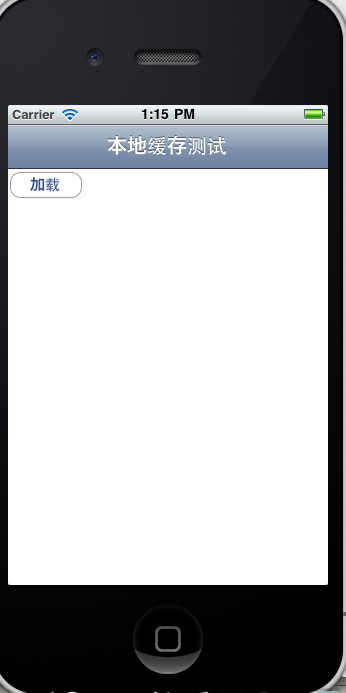
这样我们可以很方便使用前面定义好的类。我们在viewDidLoad 中实例化一个CachedDownloadManager,并设置它的委托为self。当下载完成的时候,执行CachedDownloadManager的下载成功的委托方法。
- (void)viewDidLoad { [super viewDidLoad];
[self setTitle:@"本地缓存测试"]; CachedDownloadManager
*newManager = [[CachedDownloadManager alloc] init];
self.downloadManager = newManager; [newManager release];
[self.downloadManager setDelegate:self]; }
在button的点击事件中加入下面代码,请求stackoverflow
:
static NSString *url = @"http://stackoverflow.com";
[self.downloadManager download:url urlMustExpireInSeconds:20.0f
updateExpiryDateIfInCache:YES];
上面的代码表示将这个stackoverflow的缓存事件设置为20s,并且如果在20s内有相同的请求,则从本地获取stackoverflow的内容数据。updateExpiryDateIfInCache设置为yes表示:在此请求的时候,缓存时间又更新为20s,类似我们的session。如果设置成no,则第一次请求20s之后,该缓存就过期。
请求完成之后会执行CachedDownloadManager的委托方法。我们将数据展示在uiwebview中,代码如下:
- (void) cachedDownloadManagerSucceeded:(CachedDownloadManager
*)paramSender remoteURL:(NSURL *)paramRemoteURL localURL:(NSURL
*)paramLocalURL aboutToBeReleasedData:(NSData *)paramAboutToBeReleasedData
isCachedData:(BOOL)paramIsCachedData{ [webview loadData:paramAboutToBeReleasedData
MIMEType:@"text/html" textEncodingName:@"UTF-8"
baseURL:[NSURL URLWithString:@"http://stackoverflow.com"]];
}
这样我们就实现了20s的缓存。
效果:
第一次点击测试按钮:
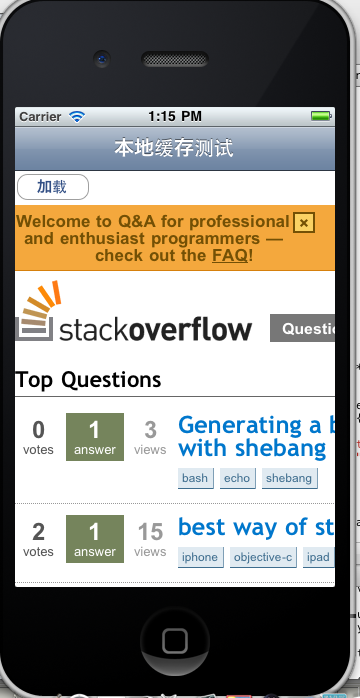
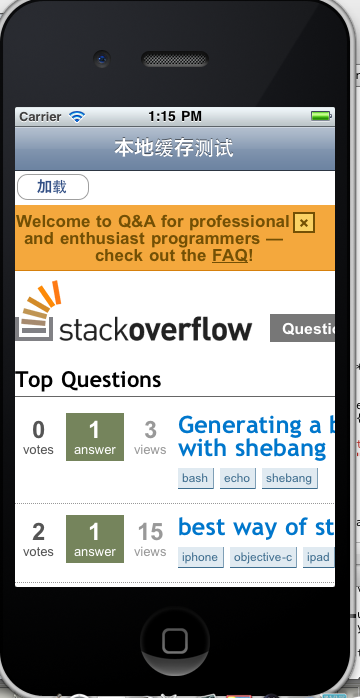
20s内点击按钮,程序就从本地获取数据,比较快速的就显示出该网页了。
总结:
本文通过代码和实例设计了一个iPhone应用程序本地缓存的方案。当然这个方案不是最好的,如果你有更好的思路,欢迎告诉我。 |